Mac–iPhone Tethering Settings for Maximum Speed

For the best performance, I set up some things on the iPhone and some on the Mac:
On the iPhone
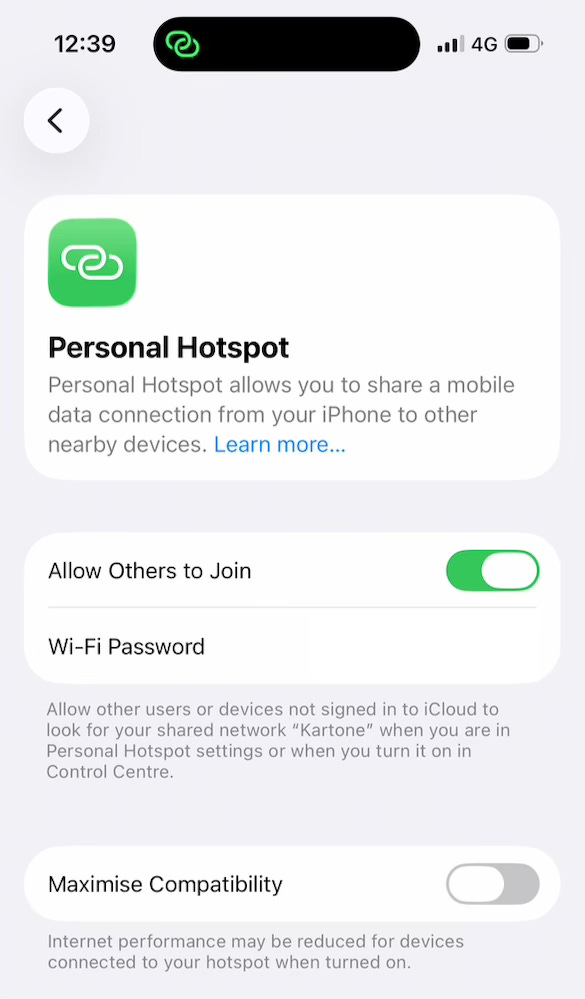
✅ In Settings > Personal Hotspot, I turned off Maximise Compatibility:
✅ In iPhone Settings > Mobile Service > Mobile Data Options > Data Mode, I chose Allow More Data on 5G:
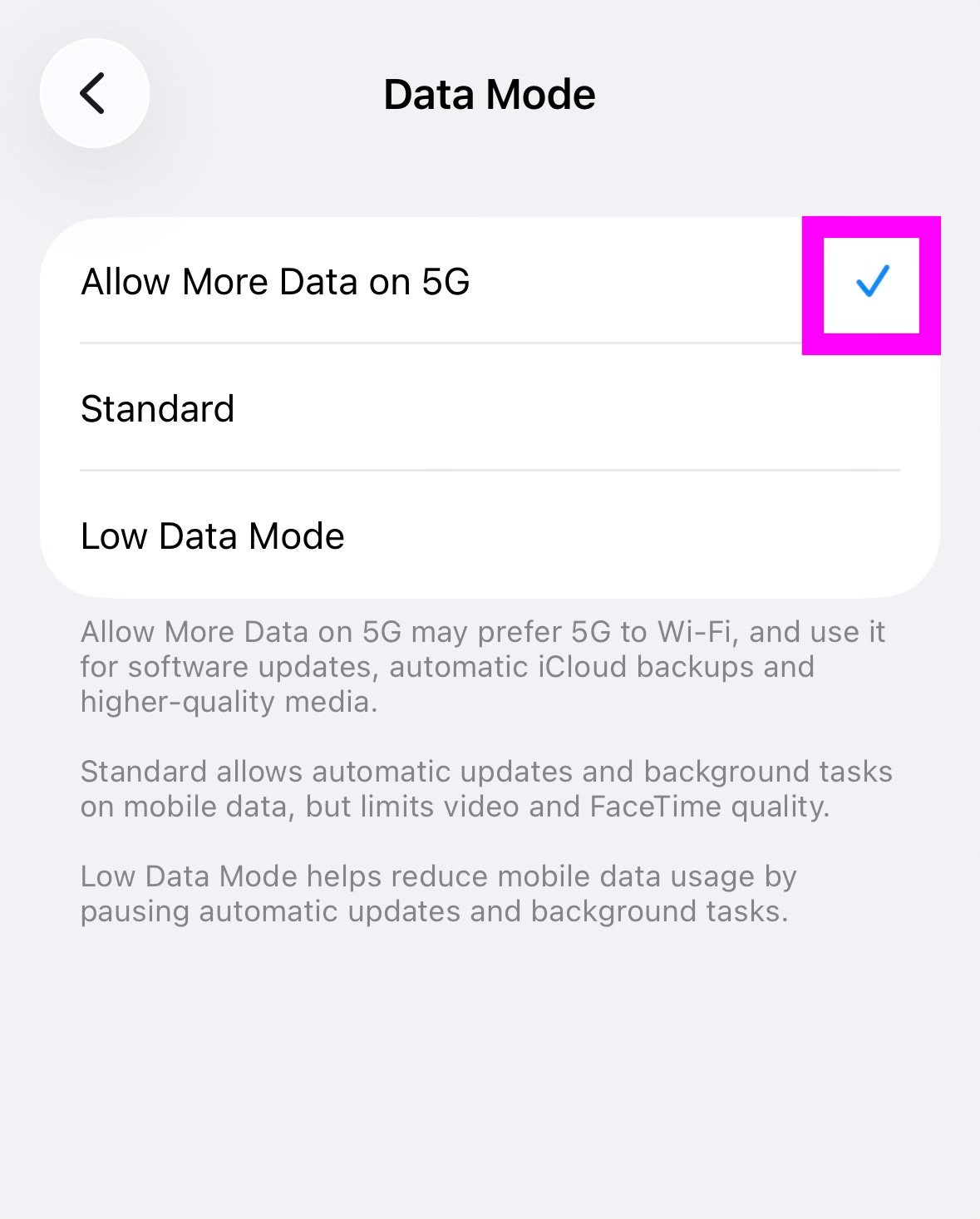
This makes it faster1 than Standard, let alone Low Data Mode.
✅ I got both Airtel and Jio since neither works consistently2.
✅ I took the time to understand my cellular plans: Airtel offers 25 GB a month, and unused data rolls over up to 200 GB, for a maximum of 225 GB. Jio offers 30 GB a month with no rollover.
✅ I chose postpaid for both Airtel and Jio, since postpaid customers are supposed to get priority when the network is congested. I don’t know if this true, but since reliable connectivity matters more than the nominal charge, I got postpaid.
On the Mac
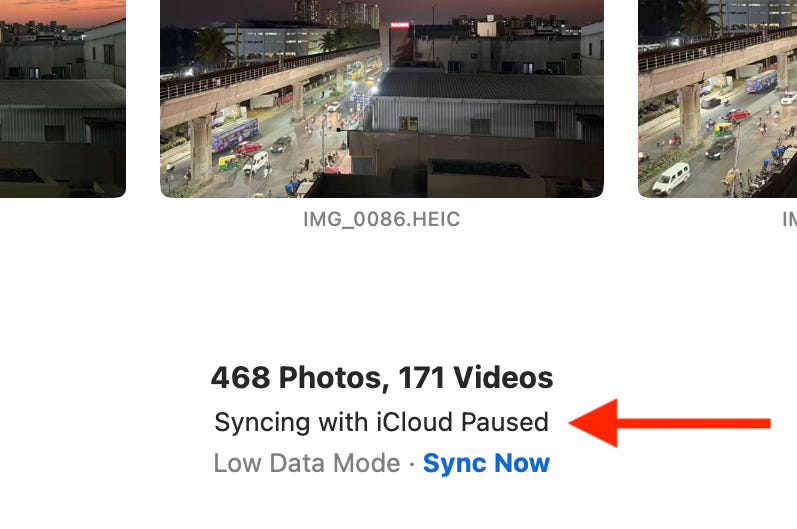
✅ I connected to my hotspot, and then in System Settings > Network > Wi-Fi > click the Details button, I turned off Low data mode:
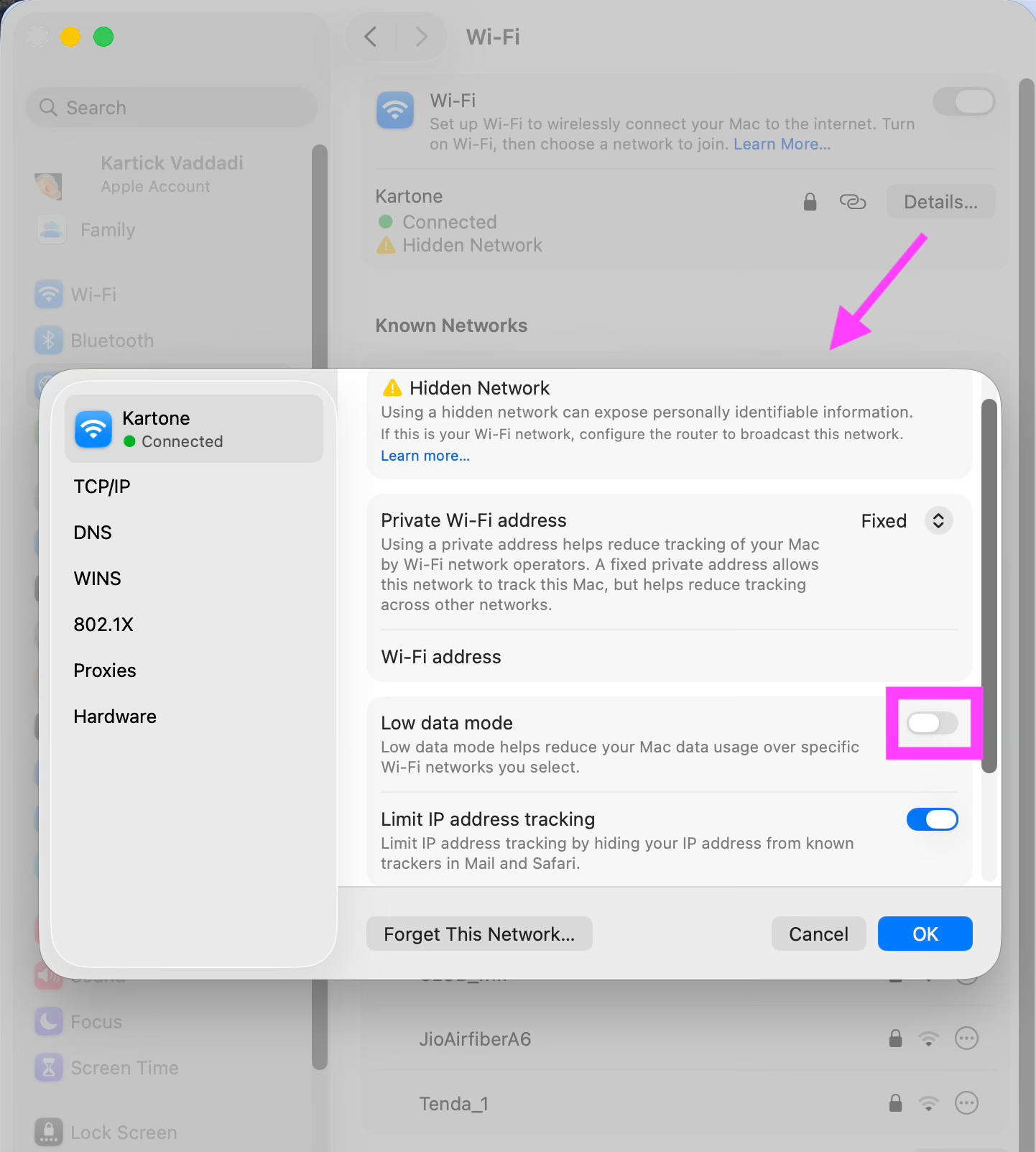
Otherwise, Apple Photos on the Mac doesn’t sync:
✅ I can tether via Wifi or USB, and both work equally fast, so I use whichever is convenient, which is usually Wifi3.
If you liked this, you may like:
How To Make Your WiFi Reliable and Fast
How I Get the Most Out of Desktop Sync Apps (OneDrive, Google Drive, Apple Photos)
Living Without Reliable Internet: What Worked and What Changed
Methodology:
All speeds were measured on a Macbook Pro 16-inch (M1 base model), in Chrome, with the 5G connection provided by an iPhone 17 or 15.
Low power mode is off on both devices.
macOS, iOS and Chrome have all been updated to the latest version as of the time for each test.
On the Mac, other apps that appear in Cmd-Tab, Google Drive and other browser tabs have been quit.
On the iPhone, WhatsApp has been quit.
Neither device is charging.
Data that is compared with each other have been collected at one go, not after hours of gap.
I’m not touching either device when a test is in progress.
Speed tests are being done using Google and fast.com. Not speedtest.net (since it measures the speed only between my device and my ISP, which is not what matters).
Both Airtel and Jio were tested.
I tested indoors and outdoors.
I tested in megacities, tier-2 cities and towns like Puttaparthi.
I tested in a clean vs a crowded Wifi (41 networks visible)
I tested with different signal strengths. In most cases, the phone was on 5G, but in some, it switched to 4G.
In Nandi Hills, Airtel would be offline for many hours at a stretch, or the whole night. Even when it connected, it would sometimes fail while uploading a file or even typing a message. Airtel was worse in Araku — it would disconnect the minute I drove out of the town, where most of the sightseeing places are. There was an outage for a whole day, and then two multi-hour outages. I missed a day of sightseeing.
Nandi Hills is not the only place where Jio works better.
And, conversely, there are multiple places where Airtel works better, like my hotel room in Pune.
When I don’t have a cable, Wifi is the only choice.
On the other hand, when I don’t have a charger, my phone is low on charge, and my laptop is charged, USB is the only choice, since it charges my phone.
When I have a choice, I prefer Wifi tethering because I don’t have to get up to enable it — I can enable it from my Macbook, if the phone is out of reach. Wifi tethering does drain the battery while USB tethering charges it, but I can always charge it later, and a wall charger charges my phone faster than my laptop (without draining my laptop’s battery in the process).
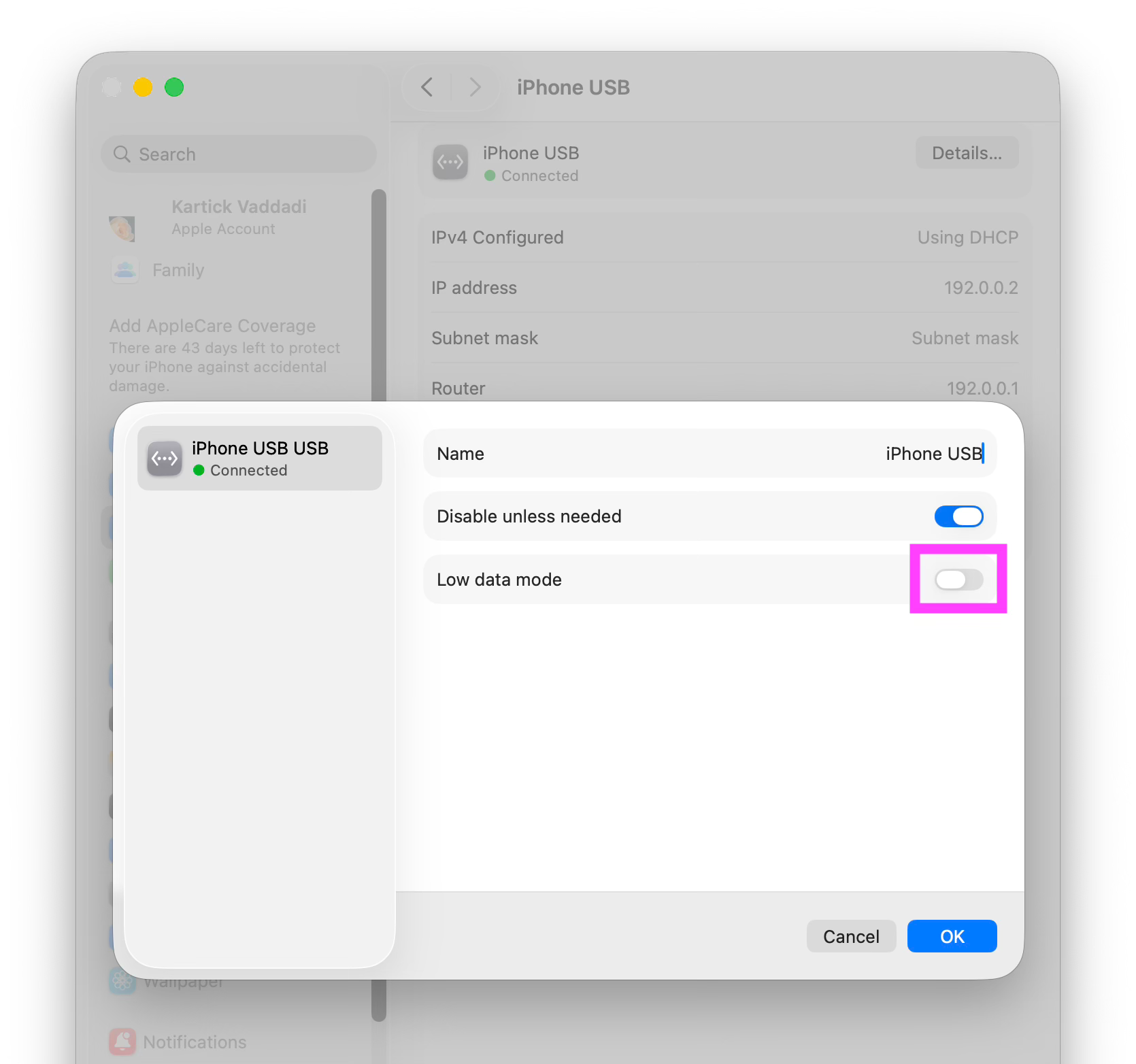
USB tethering has its own Low data mode to turn off: