
The Bose Portable Speaker Is Excellent

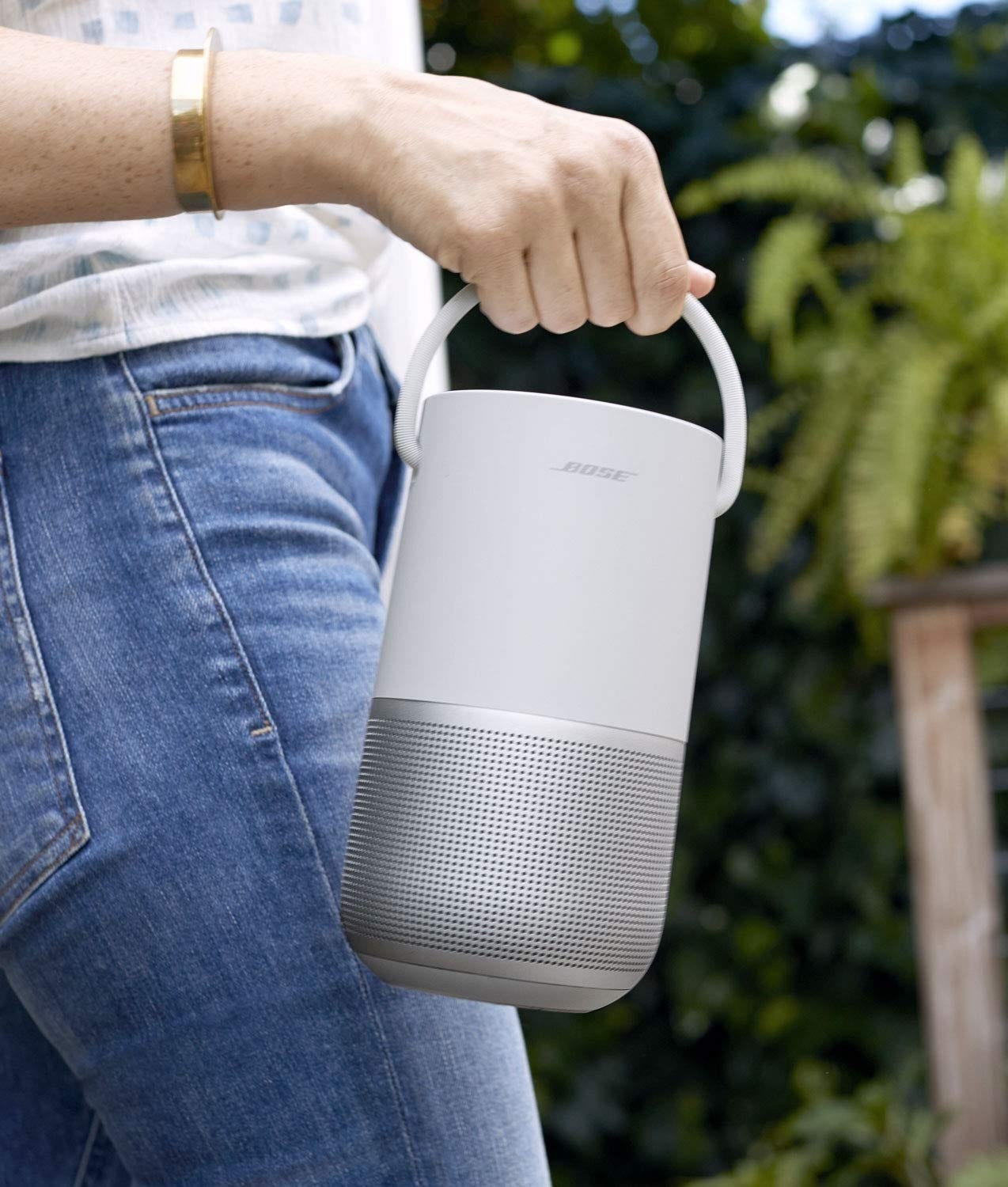
This speaker has excellent sound, not just excellent for a portable speaker. In fact, I was amazed to find this level of quality from a portable speaker. I was used to muddled, tinny, unsatisfying sound. The Portable Speaker’s sound is rich, full and detailed. I can hear each instrument clearly. You don’t feel like you’ve compromised by buying a portable speaker.
The bass is full. When placed 8 feet away, I can feel the bass through my feet. And a little through the sofa. I can feel it my stomach. Movies become emotional, bringing a tear to my eye at times. I thought that to get great bass, you need either a woofer or floorstanding speakers, but it’s amazing what this speaker can pull off, all on battery power. The rules of audio are being rewritten.
I’ve never heard a speaker this small with such exceptional quality. I’ve tested many portable speakers from Bose (SoundLink Max, SoundLink Flex 2, SoundLink Revolve+ II, SoundLink Micro), Sonos (Roam 1), JBL (Clip 4, Go 4, Flip 6, Charge 5 Wifi, Xtreme 3) and Sony (ULT 1, XB100) and Devaliet (Mania), and I’ve never heard a speaker with such exceptional quality as the Portable Speaker in its size.
The only way I can make it sound bad is by comparing it to my tower speakers powered by a receiver, which take up a lot of space in my hall, involve multiple cables, required me to get a rack made from a carpenter, required installation, and cost me 1.7 lakh. The end result is a user-unfriendly system in comparison to the Portable Speaker. If you don’t have the patience for this, get a Portable Speaker.
The battery life is excellent. I never run out of power, and don’t worry about charging it constantly like my phone.
It can handle bumps, drops and light rain.
It comes in white and black. Buy white — it looks beautiful.
The speaker supports AirPlay 2, Google Cast and Bluetooth1. No wired inputs. The USB-C is only for charging. Except when I’m watching video, I prefer AirPlay2.
360°
The Portable Speaker is a 360-degree speaker and it lives up to it: I can walk around the room and enjoy great music everywhere in the room, and even the next room. This is unlike my tower speakers, which sound exceptional when I’m seated in front, but worse than the Bose when I’m walking around. Do you enjoy music best when sitting or walking around? If it’s walking, buy a 360° speaker. The music fidelity of the Bose from behind is 90% as good as from forward.
360° speakers have a wide soundstage compared to a non-360 degree speaker of the same size. The audio sounds like it’s coming from a much bigger speaker. I was amazed to hear such high-quality, deep sound coming at a high volume and filling my hall from such a relatively small speaker.
The Bose works great with my laptop when traveling. The audio doesn’t sound like it’s coming from one side, as it would if you used a traditional directional speaker (be it a Bluetooth or computer speaker) but only one of them. With the Bose, it sounds like it’s coming from all around me, like I’m in the dark forest in X Files. It works at a subconscious level (I felt scared), not at a conscious level (“the audio is coming from all around me”).
Great for video, too
I tested this with both my Sony A95L and Macbook, which have excellent built-in speakers for a TV or laptop. The Bose works great with both, and sounds much better than either.
An action scene like
comes to life on the Bose, thanks to its bass. I feel it in my stomach. It’s way more exciting, lively and emotional. It brought a tear to my eye.
A documentary like
is cinematic, immersive and profound on the Bose.
When playing a music video like
the music is much better on the Bose, while the TV has way less clarity, as if it was playing in the adjacent room. It was as if someone had turned the Music Quality dial down from 8 to 2. When the bass kicked in, the Bose made the floor and my slippers vibrate. I could also feel it through the sofa.
I was concerned about lip sync, since wireless speakers often struggle with it. Many forum posts talk about it. But I’m happy to report that this speaker automatically does AV sync — the speaker reports its delay back to the source device, which delays the video to match3. Not only does it work, it works well. As long as I use Bluetooth4.
Before I bought the Bose, I was using my TV’s speakers, and the Bose turned out to be a significant upgrade over them. They elevate my TV viewing experience5. This is a pleasant surprise — I didn’t expect such a small, portable, mono speaker to be able to do this. It’s like a scooter towing a trailer. The Bose takes up little space in my hall, doesn’t create a rat’s nest of cables, and I can also take it with me to a different room or outside the house.
Multiroom audio
This speaker supports two different technologies for multiroom audio:
AirPlay 2
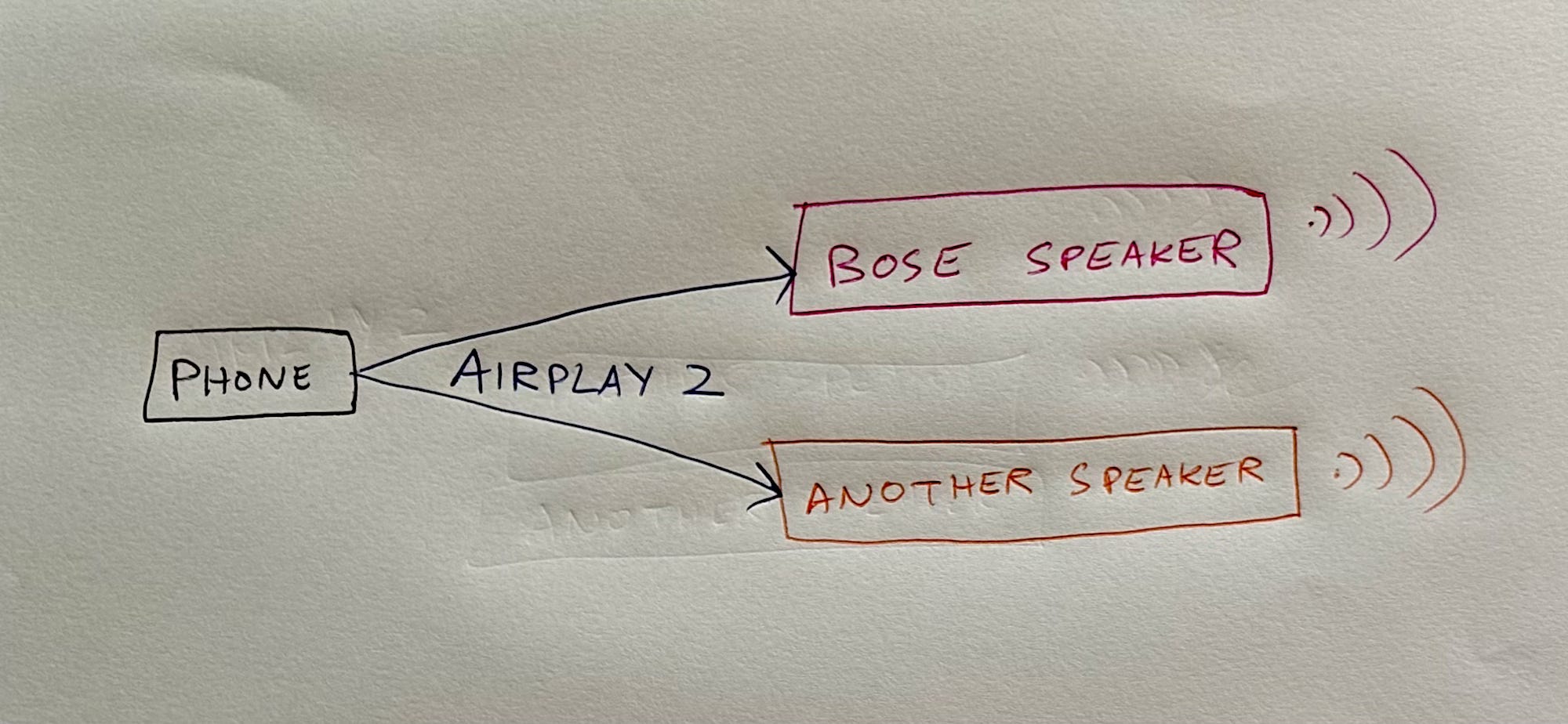
If you have another speaker that supports AirPlay 2 (the Denon DRA-800H in my case), you can play audio simultaneously on them. Open AirPlay:
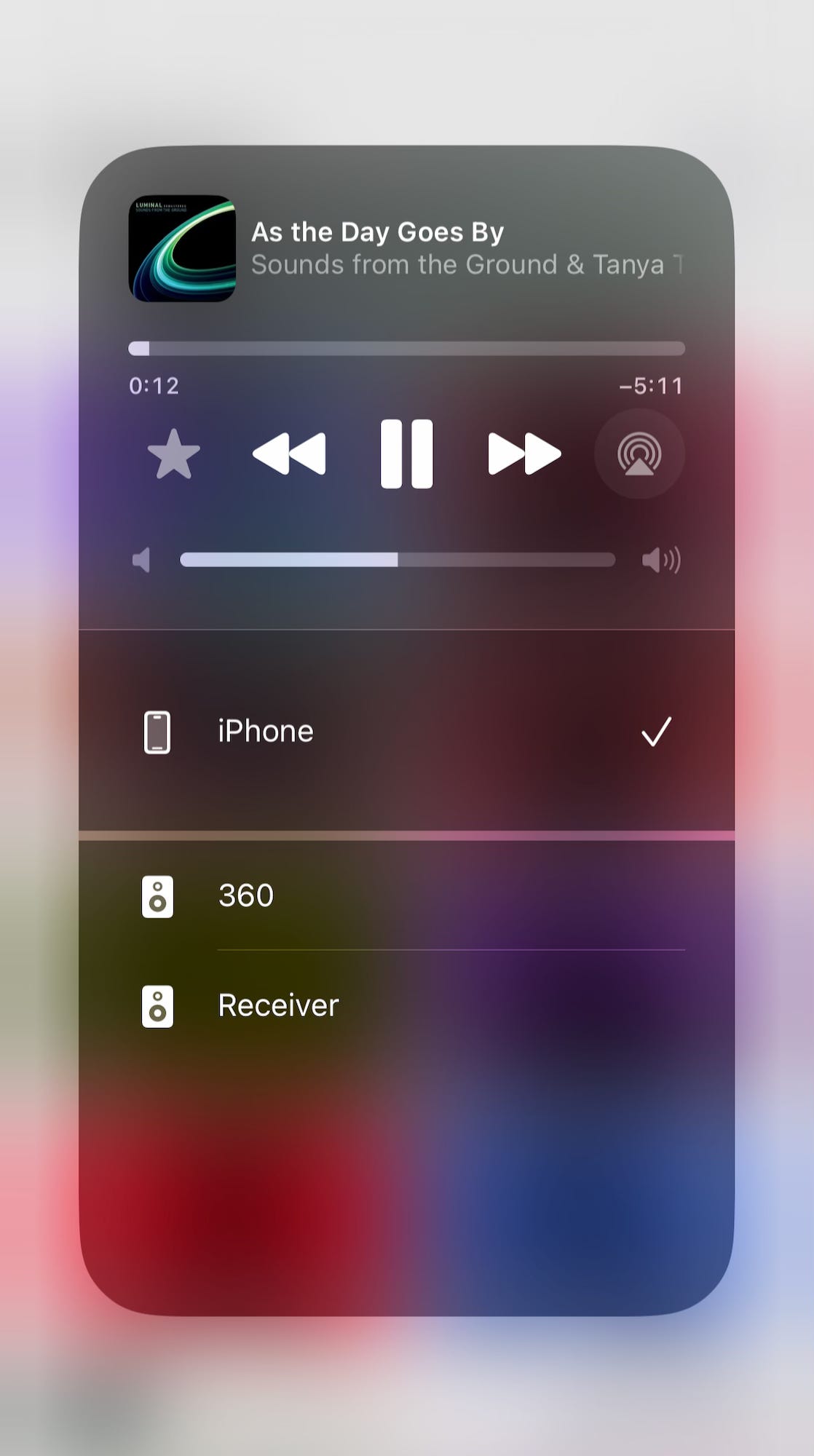
Then select one speaker:
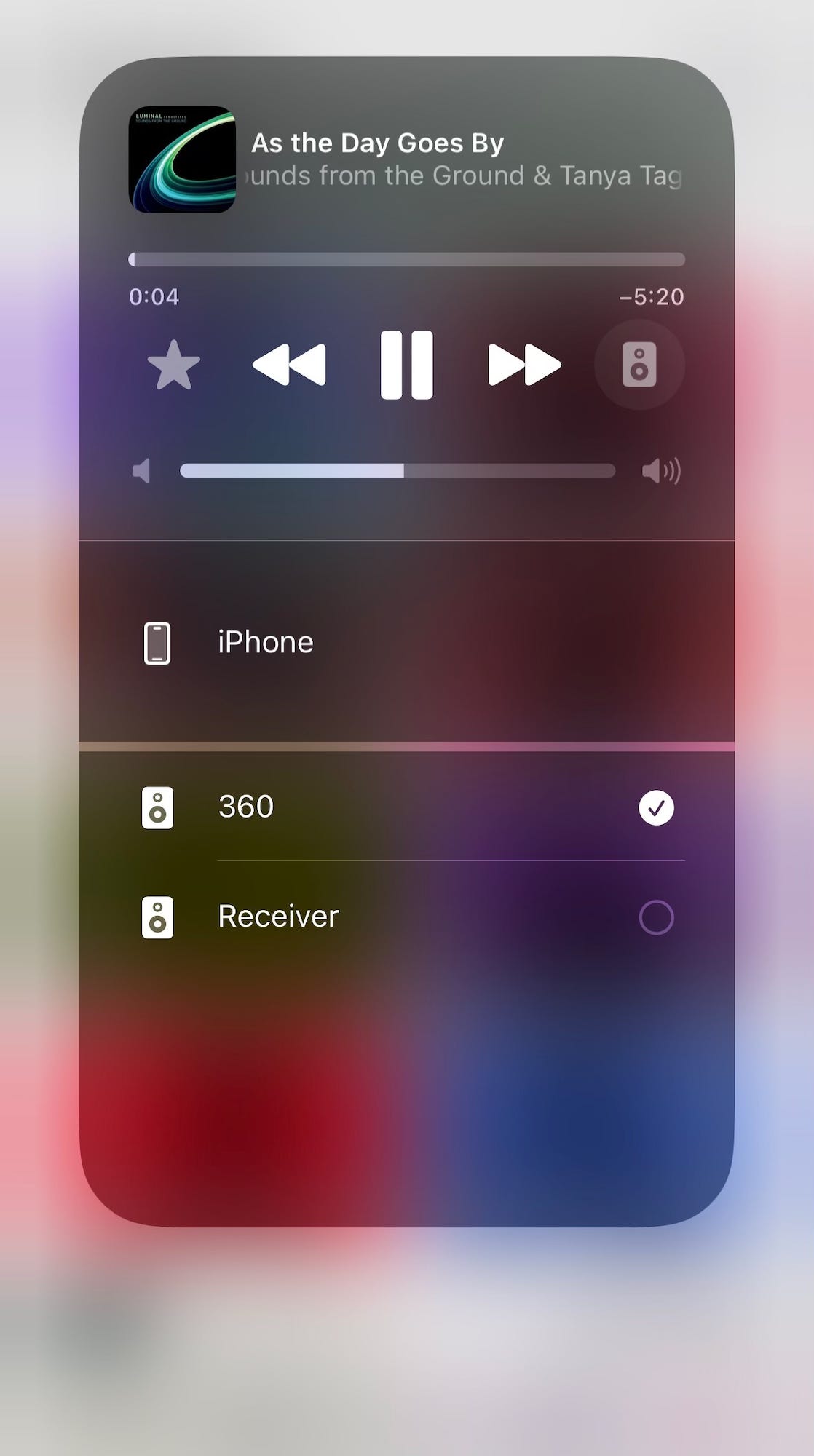
Then the other:
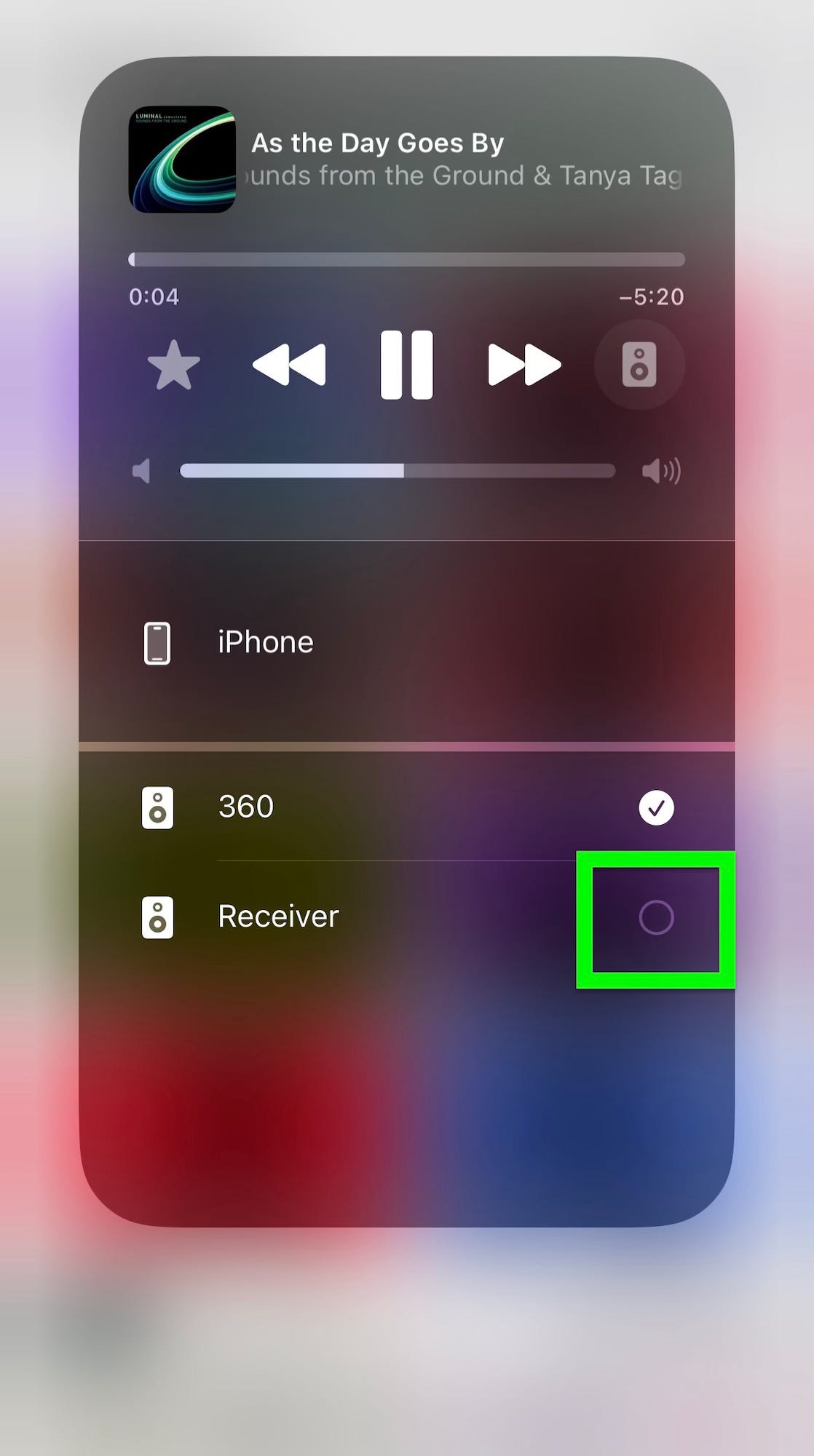
Now the audio will be playing on multiple speakers!
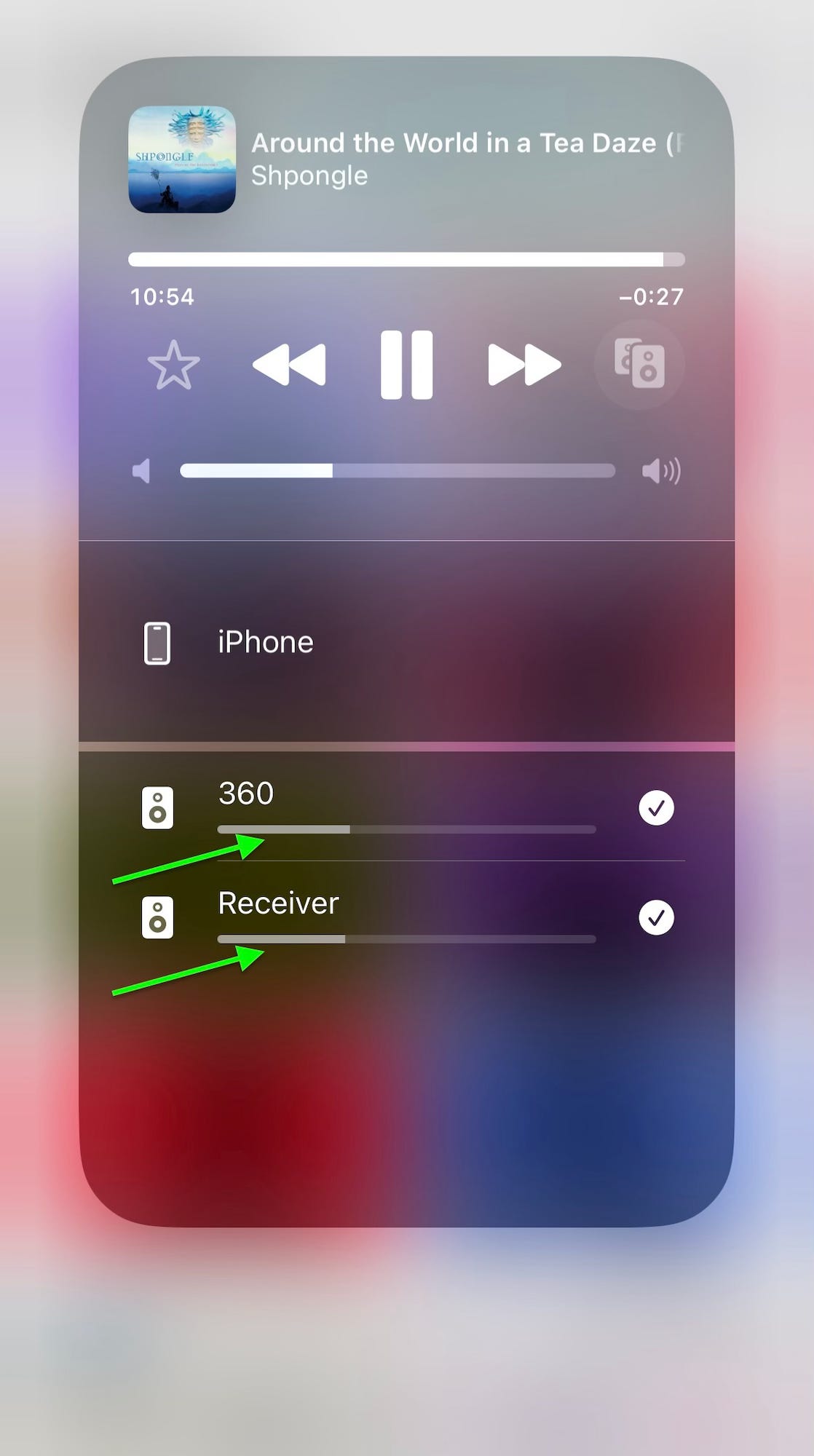
You can adjust the volume of each:
Bose
In addition to AirPlay 2, the Bose speaker supports its own multiroom system. I use this with my Echo Dot with Clock (3rd gen), which doesn’t support AirPlay 2. To set this up, go to the Bose app, go to the speaker:
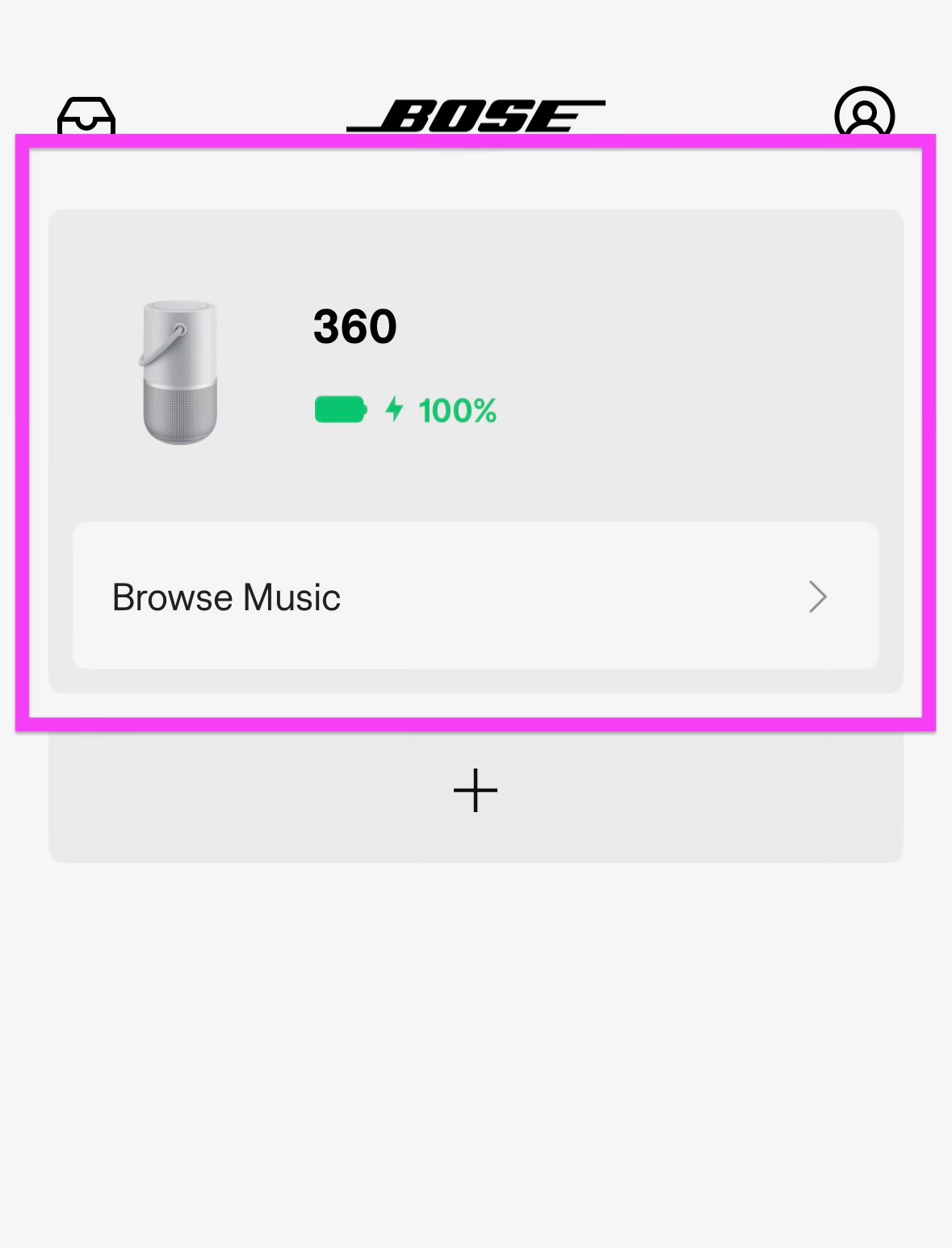
And tap Group:
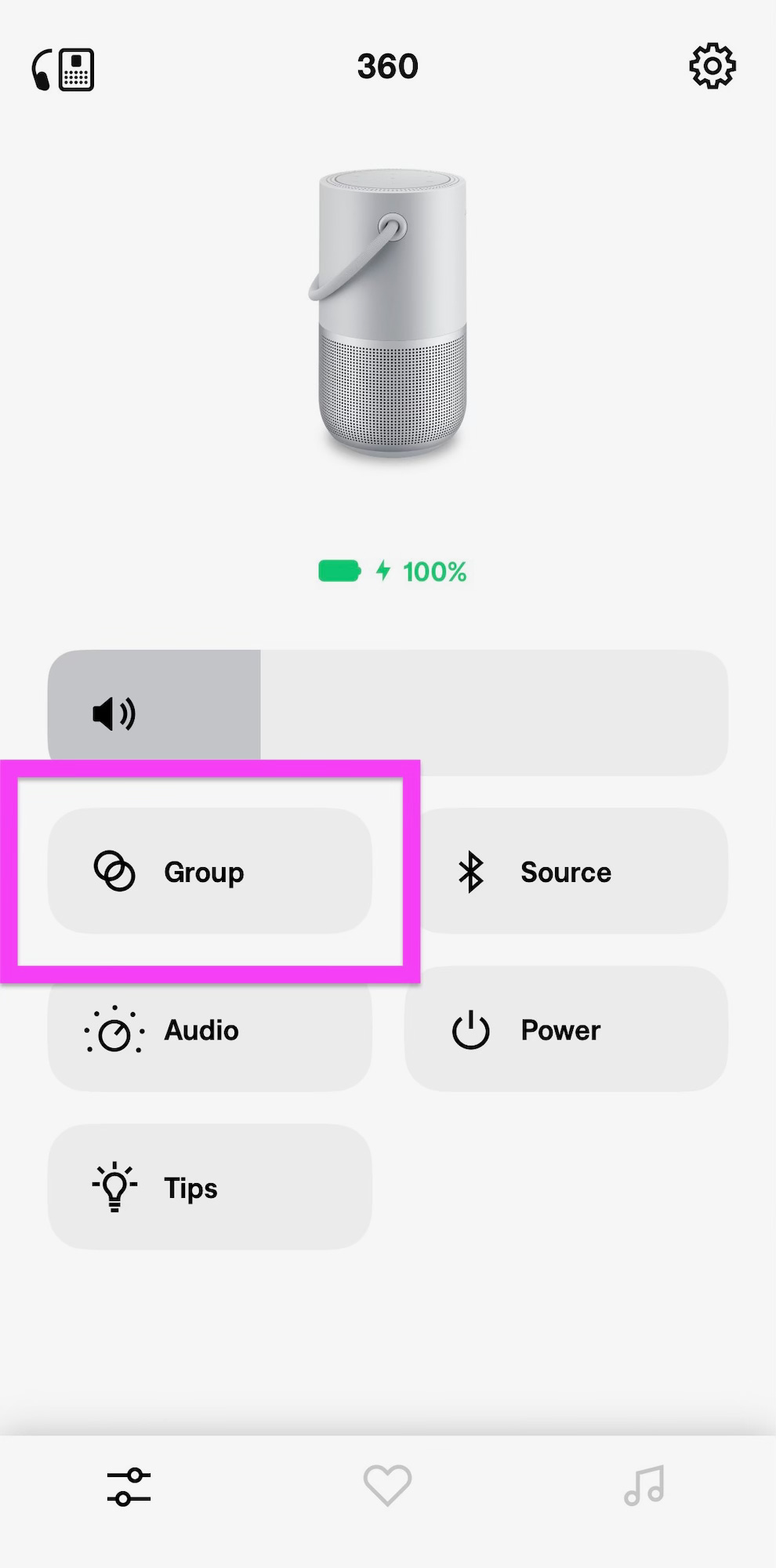
Then select the second speaker, and you now have a group. Then play audio from any app and AirPlay to the Bose speaker, and it relays it to the other speaker:
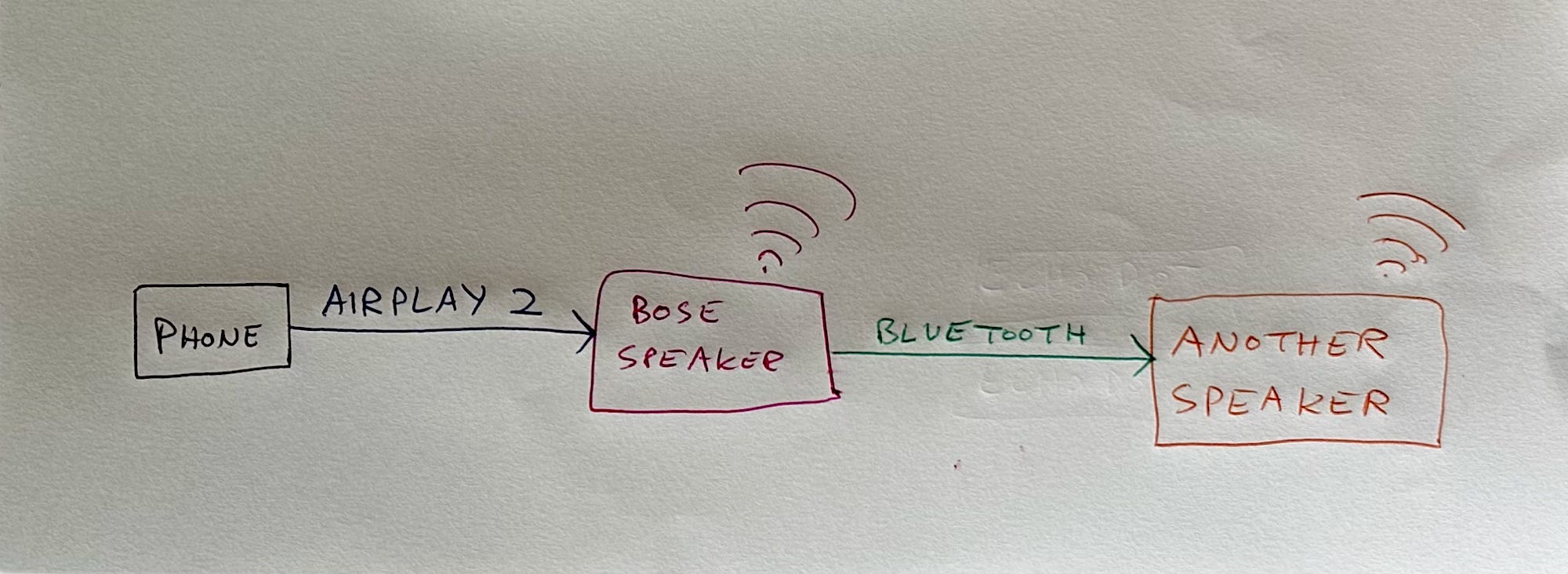
This works with any Bluetooth speaker, because from its point of view, it’s just a regular Bluetooth connection — it’s receiving audio via Bluetooth and playing it, as if from my phone.
Amazon multiroom
Amazon has its own multiroom system that this Bose speaker doesn’t support, despite it supporting Alexa: In the Alexa app, when I try to create a multiroom group, it says that there’s no other speaker found.
AirPlay 2 + Bose multiroom
Surprisingly, you can combine the two multiroom systems:
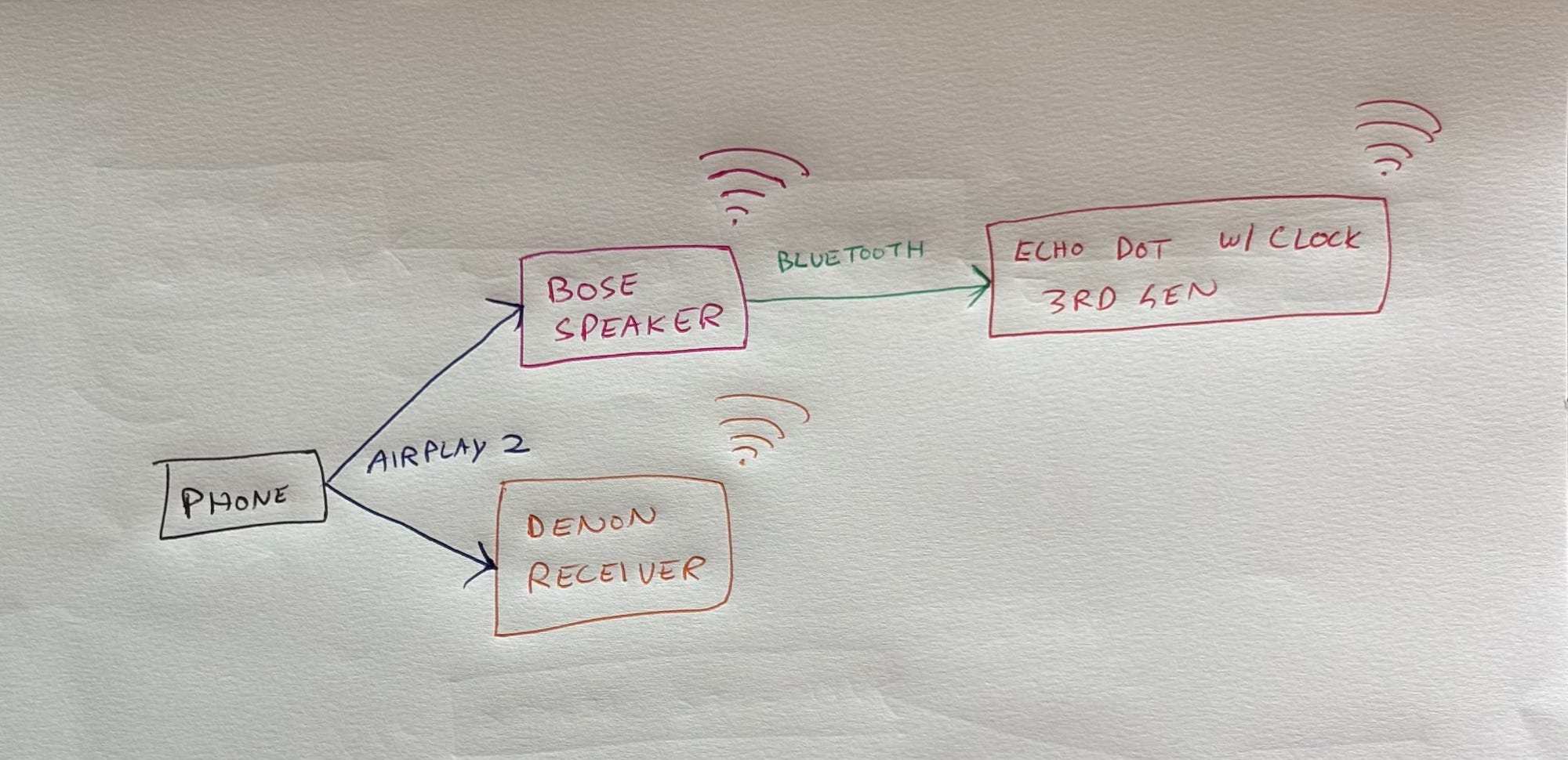
This is the only way I can get all my three of my speakers (Bose, Denon and Echo) to play at once, since the Echo doesn’t support AirPlay 2.
When I did this, the audio played perfectly in sync on all three speakers! I could adjust the volume of each, one in AirPlay and the other two in Bose to balance it out so that it didn’t suddenly get louder as I walked into another room.
The Bose is not the best for you if
… you haven’t optimised your existing speakers, in which case do that first and ask yourself if it’s good enough for you. Don’t buy a new product till you’ve learnt to make the most of what you already have.
… you want the absolute best sound quality, in which case buy floorstanding speakers powered by a receiver. I love the Q Acoustics 5040 powered by the Denon DRA-800H. This system takes up a lot of space in my hall, involves multiple cables, required me to get a rack made from a carpenter, required installation, and cost me 1.7 lakh, only to end up with a user-unfriendly interface. Are you okay with these tradeoffs for exceptional audio quality?
… you’re going to move it only in and around the house, like different rooms, balcony, terrace and garden, in which case you should audition heavier, bulkier battery-powered speakers.
… you want a smart speaker, in which case buy an AC-powered speaker6.
… you’re buying a speaker to listen to spoken content like podcasts7. This speaker is it’s too bassy even at minimum bass, and voices are not clear, as compared to my floorstanders (of course) or even my TV, but better than my Echo Dot With Clock (3rd gen), Macbook Pro (16-inch, M1), iPad Pro (11-inch), iPhone 15 and Pixel XL.
… you need stereo or multichannel.
How to get the best out of this speaker
Turn off Alexa8.
The speaker has too much bass, and I found these EQ settings to work well:

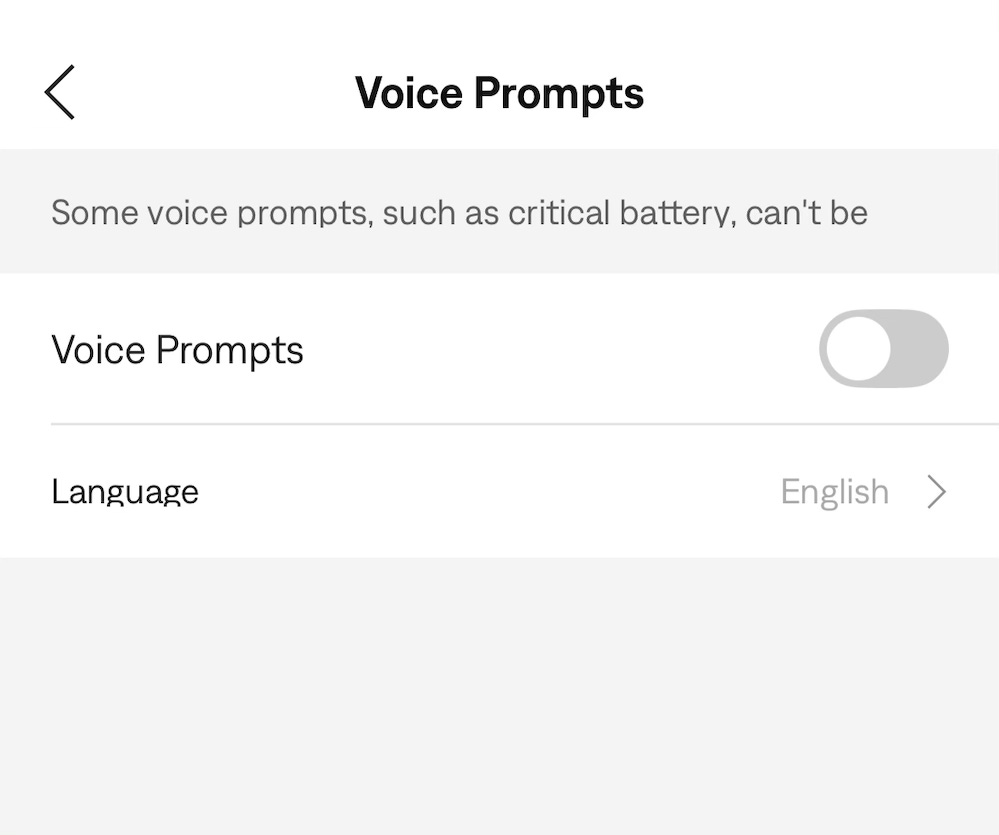
I turned off Voice Prompts, because they’re unhelpful and annoying:
The speaker gets loud, in case you want to be overcome by music or dance to it. Beyond two-thirds volume, the quality decreases, so limit it to that. But that’s still loud. It fills the room. My friend used it for a party, and he said guests enjoyed the music.
I’ve found that placing it 4 feet away from the wall improved quality9.
It was on a glass table. Covering this table with a tablecloth significantly reduced boominess and improved quality.
Placing it on a coaster10 further improved quality slightly:
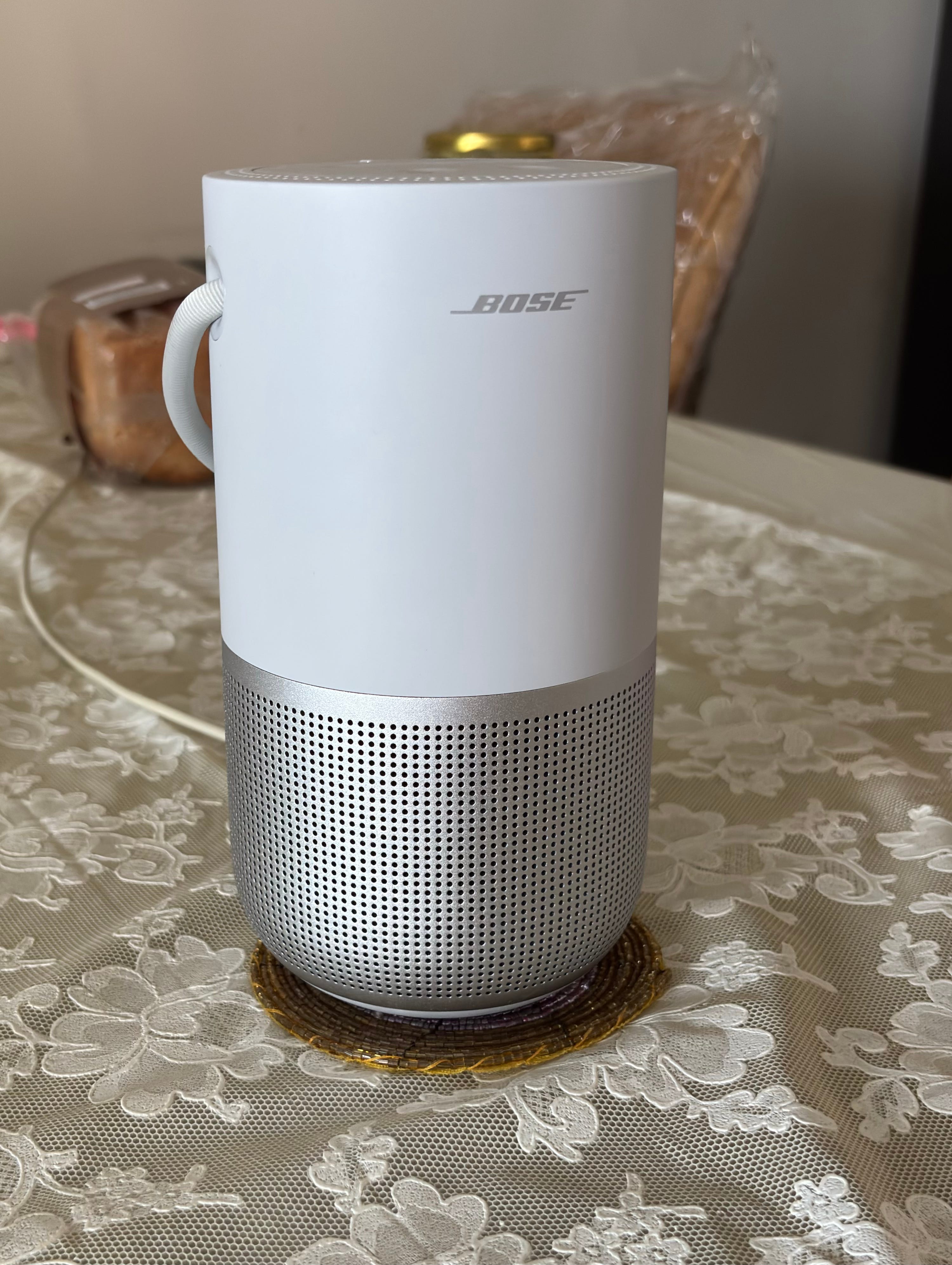
Voices became slightly easier to understand, with clear inflections.
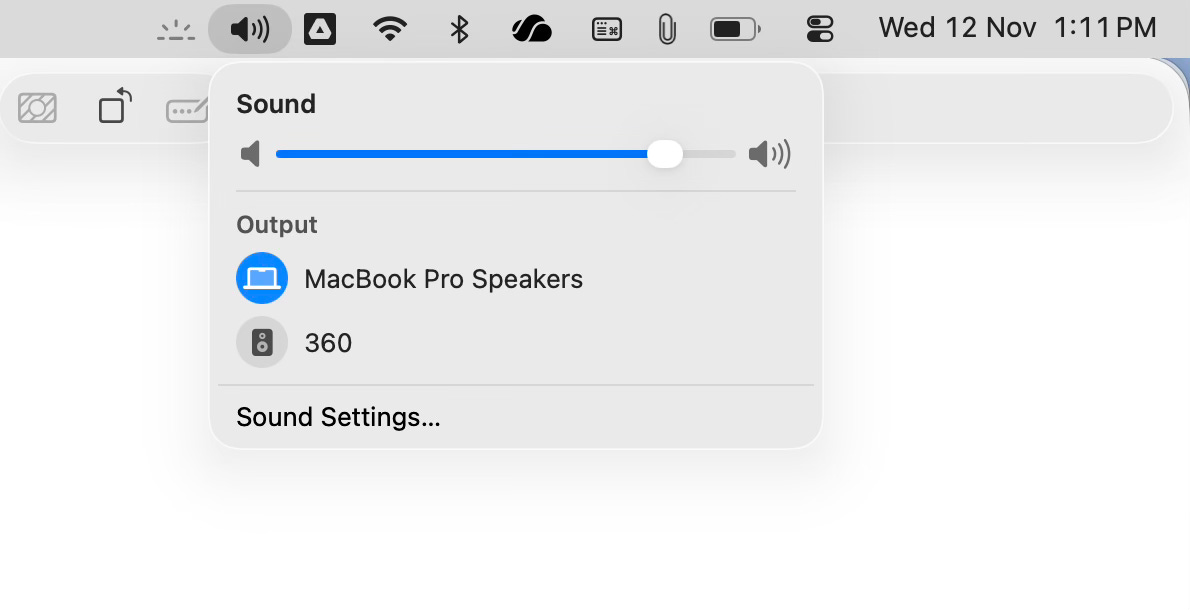
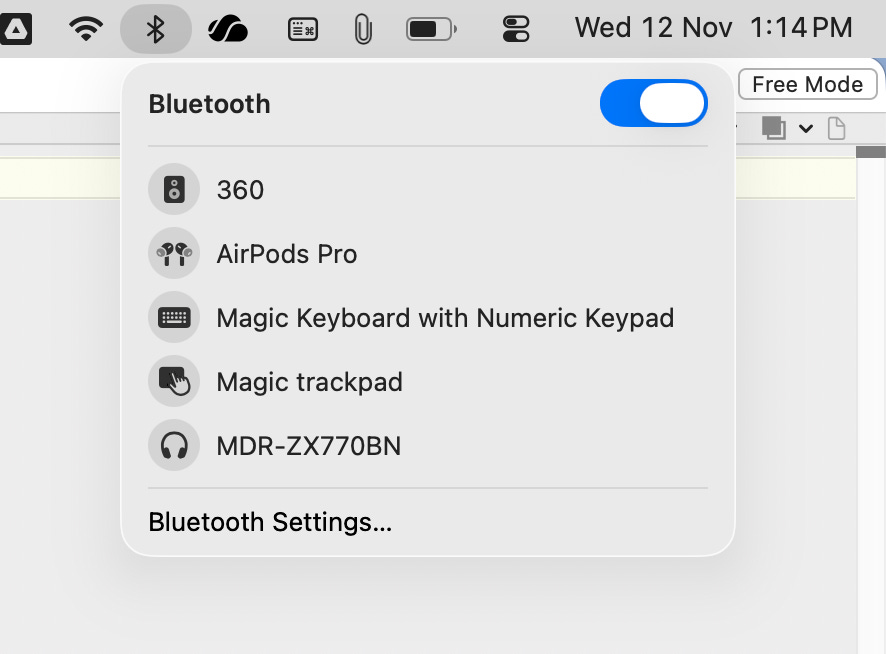
I added Sound and Bluetooth menu items to my Mac menu bar:

When I want to connect via AirPlay, I select it from the sound menu:
When I want to connect via Bluetooth, I use the Bluetooth menu:
When I connect via Bluetooth, the sound output usually automatically switches. When it doesn’t, I select it from the sound menu:
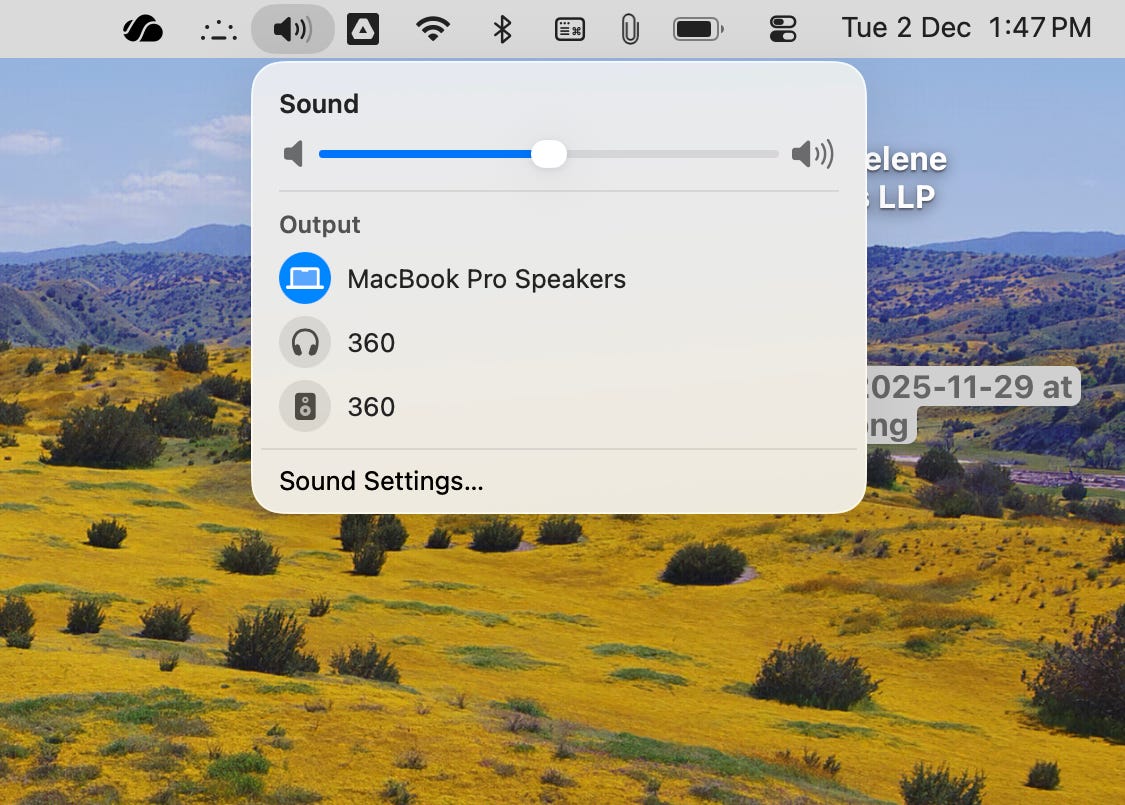
The one with the headphone icon is Bluetooth, and the one with the speaker icon is AirPlay.
AAC is supported as a Bluetooth codec.
Google Cast needs to be enabled in settings. A glitch I encountered is that I have separate 2.4 Ghz and 5 Ghz networks, with the latter requiring Wifi 6, and the former the fallback for old devices. My phone is on the 5 Ghz network, but the Bose can’t connect to it, and so is on the 2.4 Ghz network. This caused Cast to not get enabled. To fix this problem, I temporarily connected my phone to 2.4 Ghz, enabled Cast, and then switched back, after which it has been working well with no problems.
Further, Cast is slower to connect. Even after the speaker chimes indicating it’s connected, it takes time for the audio to start playing through it. Cast glitches when you seek. The volume controls on the Mac don’t work with Cast, while they do with AirPlay. Cast is also supported by only some apps, while AirPlay is supported OS-wide on my Mac and iPhone.
Finally, I often play a Youtube video which is a podcast — the video is unimportant and typically just shows people talking:

I want the audio to play on the speaker while I walk around doing housework. Cast doesn’t support this. The way it works is that if the source is a video, then only destinations that support video (like my TV) appear in the Cast menu. Cast doesn’t let me route just the audio to the speaker while the video continues playing on the laptop. The audio and video have to play on the same device. AirPlay and Bluetooth don’t have this restriction, so I use it.
It sounds noticeably better than Bluetooth, and seems to sound slightly better than Cast.
The speaker reports its audio delay back to the source device, which delays the video to match. On the Mac, you can see this by opening the log viewer, confusingly named Console, and filtering for mCodecDelay. You can visually see this by connecting or disconnecting the speaker while Youtube is playing — the video slightly back or forward as it moves to match the audio.
I no longer need to manually adjust the audio delay in IINA, which is finicky, and I was never sure if I got it right. In any case, manual adjustment doesn’t work for Youtube, and it may not work with your streaming services.
Seeking is inconvenient with wireless speakers.
IINA immediately starts playing the video from the new position, while the audio takes a second or two to catch up. Till then, the audio from the old position continues to play.
On the other hand, when playing a music video in Apple Music, seeking pauses playback for a second till the audio and video re-synchronise. This avoids IINA’s problem of mismatched audio and video, at the cost of slower seeking, which makes seeking multiple times to find the place you want annoying.
Smart speakers need to be on 24x7, while battery-powered speakers need to go to sleep to conserve battery.
Even the first-party Amazon Tap battery-powered smart speaker didn’t perform well, and Amazon never made one again. Google and Apple never tried.
Or a scene focused on dialog like
The Bose is slightly worse than the TV.
When using the Bose, the sound comes from below the TV, while the TV’s speakers make the sound come from the character’s mouths, as if they’re talking, which makes it feel that they’re really here.
The TV speakers have an expansive soundstage — background music seems to come from the background, and dialog from the foreground. It feels open. By contrast, the Bose has a narrow soundstage, as if all the sounds are coming from one point. It feels closed.
Voices are also clearer on the TV’s speakers.
So, while the TV performs better for this scene, the Bose performs better for the remaining three scenes I tested. It’s not just the number of scenes where each outperforms the other but also the extent of the outperformance: when the Portable Speaker outperforms the TV, it does so significantly. It’s immediately apparent. On the other hand, when the TV outperforms the Portable Speaker, it does so subtly.
The Bose often doesn’t hear “Alexa”.
Even when it recognises the wake word and lights up, or when I press the button, it often doesn’t respond and gives an error: (Specifically, it blinks amber at the top and bottom multiple times. Thinking it’s going into low-power mode when it’s on battery where the Wifi connection is powered off till needed, I left it plugged in, but it didn’t help. I wondered if it was a Wifi range problem, so I moved it closer to the router hoping it will work reliably (despite the Echo Dot handling the previous room just fine) but it didn’t help. Besides, AirPlay still works, so it’s not a Wifi problem. Resetting the device by holding down ⏯ for 10 seconds didn’t improve anything.)
Alexa sometimes takes hours to start working after I power the speaker on.
Sometimes it would respond after a long delay, to the extent that it didn’t make sense to use Alexa to set a timer when I could reach for my phone.
When I asked, “Alexa, what’s your battery level?” it responded that this device doesn’t have a battery, which is obviously wrong.
Sometimes, when I’m closer to my Echo and give a voice command, the Bose processes the request, and I hear a response from the other room, which is odd. If I’m closer to the Echo and say, “Alexa, set an alarm for 6 AM” and it happens to be set on the Portable Speaker, if the Portable Speaker is out of battery by 6 AM, the alarm won’t ring on the Echo Dot, either. It will ring in the evening when I plug in my Portable Speaker to charge. So, alarms worked more reliably before I purchased the Portable Speaker.
The Echo Dot with Clock serves dual purpose as a clock. When a timer is running, I can glance at it to see how much time remains. I can’t do that on the Bose.
On one occasion, when I asked for the date, both Alexas answered.
When it works, Alexa’s voice sounds more natural on the Bose than on the Echo Dot.
Some online sources say this comes with Google Assistant. Not in India.
Closer and it becomes too boomy — it’s distracting, and instruments become muddled together rather than sounding discrete.
The speaker does have more energy at 2 feet distance from the wall, but is more boomy and less clear. If you prioritise bass over clarity, this would be an option for you.
The optimal distance may be different for your speaker and room.
All distances are from the wall to the closest point on the speaker’s circumference.
The coaster in the above photo is the one on the right in the following photo, but the one on the left works equally well:
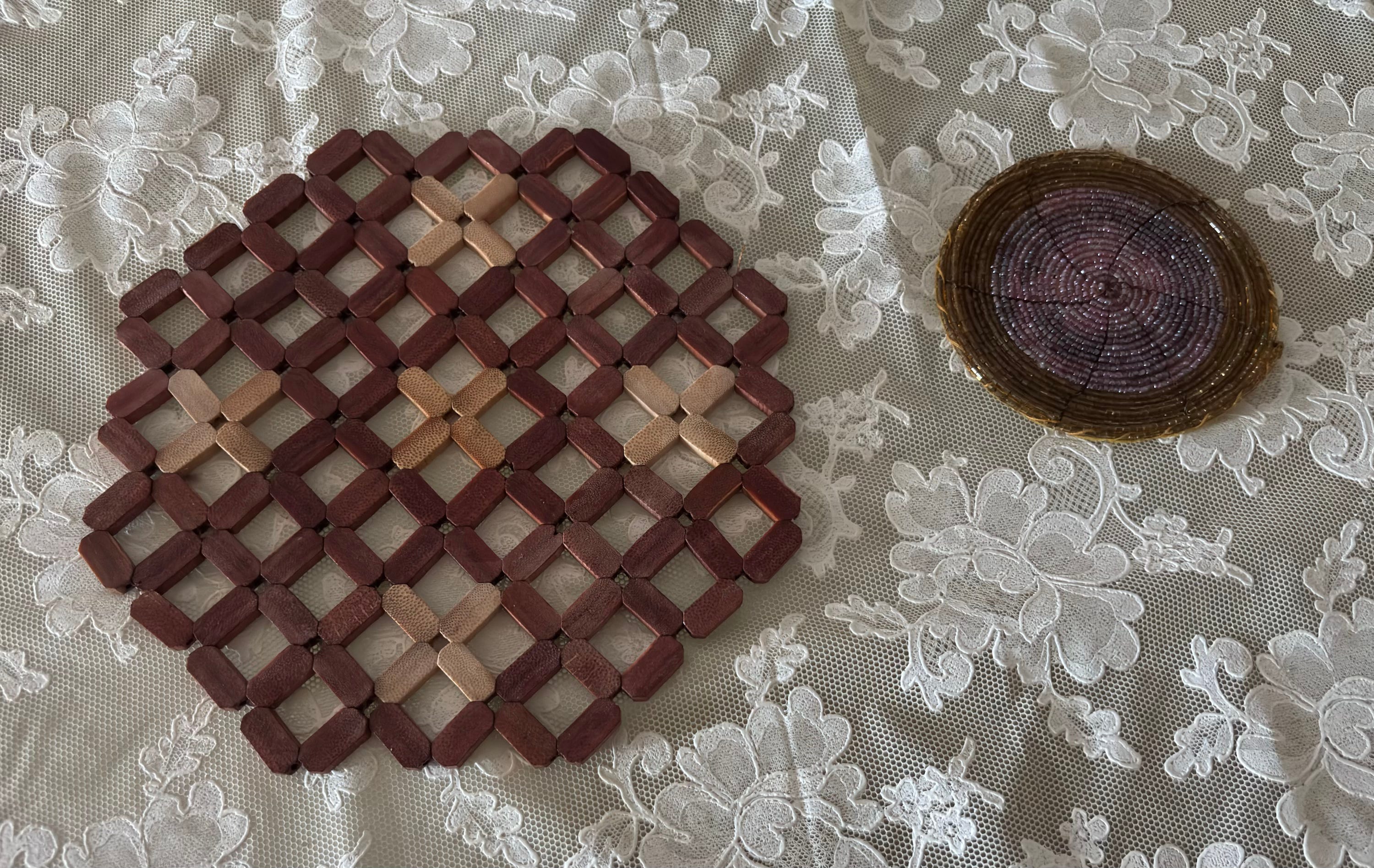
But this trivet
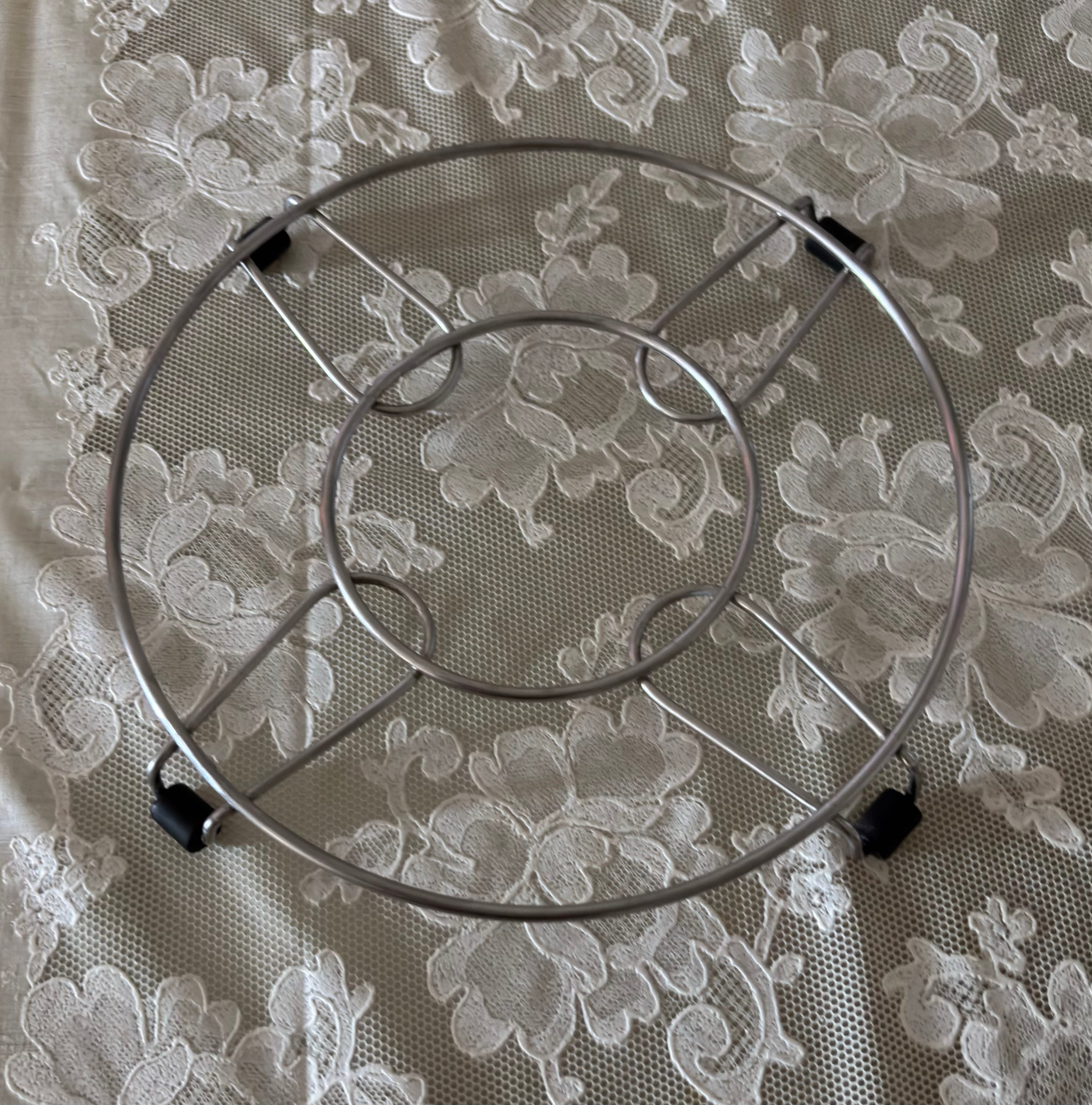
made the sound worse and more boomy, probably because the empty space under the speaker acts as a resonant chamber.
I also tried a microfiber cloth but it made no difference.
When I tried putting it on my tiled floor, it sounds best without anything underneath, whether a towel, two thick bathroom mats, a yoga mat or a piece of black thermocol maybe a cm in thickness. None of these helped, or they reduced clarity without reducing boominess and base.